


Beats
3.96.04K Reviews
App Specs
- Version
- 2.11.6
- Updated On
- License
- Free
- Downloads
- 10,000,000+
- Developer
- Apple
- Categories
- Tools
- Platform
- Android, iOS
Screenshots
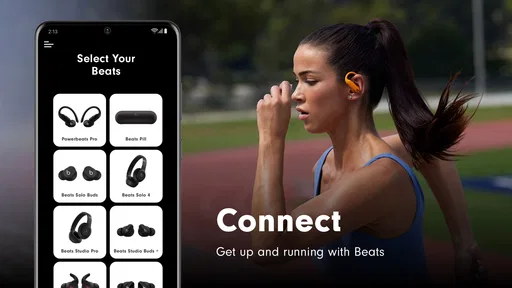
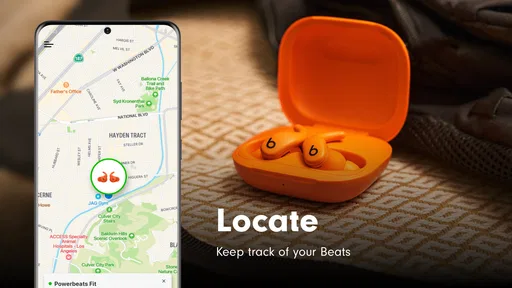
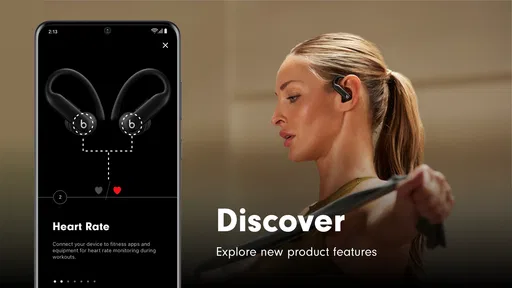
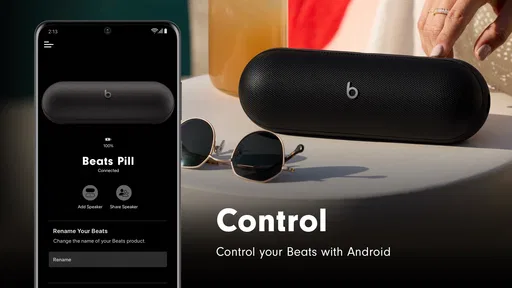
 Analysis by AppCompare
Beats is a free tools app from Apple that I would describe as a companion for compatible Beats headphones and earbuds rather than a general music player. Its purpose is simple: help you get more from your Beats hardware, keep the useful controls close at hand, and make everyday listening less dependent on digging through system menus. I tested it with the mindset of someone who wants quick access to device settings without turning headphone management into a project.
The first thing I noticed is that the app makes sense only when you already own supported Beats equipment. If you use another brand, it has little practical value, and it should not be mistaken for an equal to a full audio player, an equalizer, or a broad Bluetooth-management utility. For the right owner, though, that narrow focus is also its strength. The interface is built around the headphones rather than around a crowded collection of unrelated tools.
Apple is the developer, and the app has been available since October 29, 2015. It remains free, carries an Everyone age rating, and its current release is version 2.11.6. The store summary, “Enhance your Beats,” is brief, but it captures the basic idea: this is a control layer for Beats products, not a replacement for the music services you already use.
What the app feels like in daily use
I find Beats most useful as a quick checkpoint around listening, rather than an app I need to keep open. In this section, I’d focus on how a dedicated companion can make routine connection checks feel more orderly, while keeping expectations grounded: it complements the headphones and the phone’s controls instead of replacing either. That practical distinction leads naturally to the question of how it behaves when several devices or busy routines are involved.
A focused companion instead of another music library
When I open Beats, I am not looking for playlists, recommendations, lyrics, or a new place to stream songs. I am looking for the connected headphones and the controls that belong to them. That distinction matters because it keeps the experience relatively direct. The app is most useful before listening, between activities, or when something about the headphones needs attention.
A realistic example is a commute where I switch between a phone and a tablet. Rather than repeatedly searching through Bluetooth settings and trying to remember which device is connected, I can use the companion app as the starting point for checking the Beats hardware. The benefit is not dramatic, but it removes a small piece of friction from a routine I repeat often. The same applies when I want to check whether the headphones are recognized before leaving home.
The best reason to install it is convenience after buying Beats hardware. It gives the headphones a clearer place in my phone, which is more approachable than treating them as an anonymous Bluetooth accessory. That is especially helpful for people who are not interested in adjusting technical audio settings but still want a visible way to interact with their device.
Worth Reading Before You Choose

Flipboard Shows What News Apps Must Do Beyond the Feed

Switching to Android Auto Means Rethinking Your Driving Routine

Google Calendar Makes a Crowded Week Easier to Manage

Ludo King Makes the Most of the Minutes Between Plans

Baby Panda World Brings Quick Play to Modern Phones, but Its Game Library Feels Busy

ESPN’s Live Game View Makes Following Close Games Easier
Where it fits among the usual alternatives
Without this app, a Beats owner can usually rely on the phone’s Bluetooth panel and the physical controls on the headphones. Those options may be enough for basic listening, and they are preferable if you want the fewest possible apps. The difference is that system settings tend to be organized around connections, while a dedicated companion is organized around the accessory itself.
Compared with a third-party equalizer, Beats is a more sensible choice for device-specific management, but it is not the better choice for someone who wants deep sound shaping across many brands. Compared with a general headphone-control app, its advantage is that it comes from the company behind the product. Its limitation is the same: the experience is tied to Beats rather than being useful for a mixed collection of headphones.
I would also separate it from Apple’s broader ecosystem tools. Apple’s involvement may make the app feel familiar to people already using Apple devices, but Beats is still a focused accessory app. It does not replace the phone’s audio settings, the music service you prefer, or the operating system’s connection controls. Installing it should be a deliberate decision based on owning compatible Beats equipment, not on the developer name alone.
Small workflow improvements that matter
One useful habit is to open the app before troubleshooting. If sound suddenly comes from the phone speaker, or the headphones seem unavailable, checking the accessory from its dedicated app gives me a more orderly first step than immediately toggling random Bluetooth switches. I can confirm whether I am dealing with a connection problem or simply using the wrong output.
Another practical workflow is to use it when handing the headphones to another person. Before a family member borrows them, I can check the device state and avoid leaving the next user to guess what is connected. This is a modest advantage, but shared headphones often create exactly this kind of confusion.
A third is keeping the app available even when I do not open it every day. Companion apps are easy to dismiss as unnecessary after the initial setup, yet they become useful when a setting needs attention or when I have forgotten how a particular pair is configured. I would not call that a hidden feature, but it is an important trade-off: the app earns its space through occasional convenience rather than constant use.
Trust begins with a narrow purpose
For a privacy-conscious user, I prefer an app whose purpose is easy to understand. Beats is not presenting itself as a social network, a shopping destination, or a content platform. Its role is connected to Beats hardware, so I can make a clearer judgment about whether the installation is worthwhile.
That does not mean I would install it without looking at the permission prompts and privacy choices shown on my own device. Those screens are the right place to review what the app requests at the moment of installation or use. I do not treat the developer’s reputation as a substitute for reading visible controls, especially when an app interacts with connected hardware.
The app’s Everyone rating also makes it approachable for households, but an age label should not be confused with a complete privacy assessment. I would still let a younger user know what the app is for, keep the phone’s account protections enabled, and review any system prompt together. The sensible approach is not suspicion for its own sake; it is matching access to the simple job the app is meant to perform.
Controls, permissions, and visible choices
My advice is to pay attention during first launch instead of tapping through every prompt automatically. If the app asks to find or connect with nearby accessories, that request should be understandable in context. If the operating system presents account, Bluetooth, notification, or other choices, I would read each one and decide whether it helps my particular setup.
Those decisions are especially relevant when the phone belongs to more than one person. A shared device can contain several headphones, multiple user profiles, and different expectations about notifications. Taking a moment to decline anything unnecessary can keep the experience cleaner. If a permission is required for a function I actually want, I can enable it knowingly rather than accepting everything in advance.
I also recommend checking the phone’s app settings after installation. System-level controls are usually the clearest place to review notifications, background behavior, connected-device access, and account-related options that may apply. If I stop using the headphones, I would remove access that no longer serves a purpose and uninstall the app if I no longer need its companion functions.
That is an important distinction between trust and convenience. A polished interface can make an app comfortable, but real control comes from knowing what is enabled and being willing to change it. Beats is easier to evaluate because its job is specific, yet I would still make the final decision through the operating system’s visible controls rather than assumptions.
Moments when data sensitivity deserves extra attention
Connected accessories can reveal more context than a simple music player because they are tied to a person’s routines and devices. I am more careful when using any headphone companion on a work phone, a family tablet, or a device shared with children. The issue is not that I assume a problem; it is that connected-device management can intersect with accounts and nearby hardware.
At home, I would avoid setting up someone else’s headphones under my account without discussing it first. That can create confusion later about ownership, connection history, or who is expected to manage the device. A cleaner arrangement is to let the regular user handle setup on their own phone when possible, then use the app for the controls they actually need.
On a work-managed phone, I would follow the organization’s device rules before installing any accessory software. A free app is not automatically appropriate for every managed environment. If company policy limits Bluetooth accessories or third-party installations, the policy should win, even when the hardware is personally owned.
Travel creates another useful checkpoint. When I am staying in a hotel, using a borrowed tablet, or pairing in a crowded place, I check the device name carefully before connecting. This is less about the app itself and more about responsible use around nearby accessories. A dedicated companion can make the intended device easier to identify, but it cannot replace attention from the person holding the phone.
Who will appreciate it most
I think Beats is a good fit for someone who owns compatible Beats headphones or earbuds and wants a simple, manufacturer-focused way to manage them. It is also suitable for users who dislike hunting through Bluetooth menus, families that share accessories, and people who want the device to feel more clearly connected to their phone.
It is less compelling for someone who owns only non-Beats headphones. In that situation, the app’s narrow purpose becomes a disadvantage, and a system settings panel or the accessory maker’s own companion will be more relevant. I would also skip it if I am satisfied with physical controls and never need accessory management. There is no reason to add an app merely because it is free.
Audio enthusiasts seeking detailed equalizer curves, advanced mixing, or one control center for several brands should look elsewhere. Beats may complement listening, but it is not a studio tool. Likewise, users who want a music discovery service will find no reason to change their existing player. The app works best when expectations stay realistic.
What the audience response suggests
Beats has reached over ten million installs, with an average rating of 3.9 from around twenty-five thousand ratings and roughly six thousand written reviews. Those figures tell me that the app has a substantial audience, but they do not guarantee that every owner will have the same experience. Compatibility, phone settings, and expectations can all affect whether a companion app feels essential or unnecessary.
I read the rating as a sign of a useful but specialized tool rather than a universally loved app. A 3.9 average is respectable, yet it also suggests that some people encounter friction or simply do not see enough value beyond the phone’s built-in controls. That matches my own judgment: the app can make ownership smoother, but it is not a must-have for every listener.
Written reviews are most useful when they describe a specific phone, Beats model, connection behavior, or permission issue. I would not rely on a vague complaint or enthusiastic one-line recommendation. Before installing, I would compare those experiences with the device compatibility information shown for my own setup and then test the app with the least access necessary.
How I would set it up responsibly
I would begin by installing it only on the phone I normally use with my Beats equipment. After launching it, I would follow the pairing instructions carefully and name or identify the intended headphones before accepting a connection. This avoids the common mistake of managing a nearby family member’s accessory by accident.
Next, I would review every system prompt. I would allow access that is clearly needed for the functions I want, decline optional requests that do not fit my use, and revisit the decision later if a feature does not work. This approach is more useful than granting everything first and trying to remember what happened afterward.
After setup, I would test one ordinary routine: connect before playing music, move briefly away from the phone, reconnect, and check whether the app still reflects the accessory I intend to use. I would not treat a single successful pairing as proof that every situation will be seamless. The real test is whether the app reduces confusion during the moments when I actually need it.
Finally, I would keep the app updated through the normal app-store process and periodically inspect its system permissions. The current version is 2.11.6, but version information alone does not tell me how the software behaves on every phone. Keeping both the app and the operating system current is sensible, while still checking visible changes rather than assuming an update preserves every preference.
My cautious verdict
Beats is worth trying when you own compatible Beats hardware and want a focused control point. I like its clear purpose, its connection to the accessory rather than to a separate music ecosystem, and the way it can simplify small tasks such as identifying the right headphones or starting a troubleshooting routine. Apple’s development also gives it a coherent place in an Apple-centered setup, although that should not be confused with universal compatibility or a guarantee of frictionless use.
My recommendation comes with conditions. Read the permission prompts, check the phone’s privacy and account controls, and remove access you no longer need. Use it on a shared or work device only when the surrounding rules make sense. If the built-in Bluetooth panel already does everything you require, staying with that simpler option is perfectly reasonable.
For me, this is a practical accessory app, not an essential daily destination. Its value appears at the edges of listening: setup, connection checks, shared-device confusion, and occasional management. That is enough to justify it for many Beats owners, but not enough to recommend it to people outside that ecosystem. Install it with a specific purpose, keep your choices visible, and it can quietly make the headphones easier to live with.
Pros
- Personalized mixes adapt well to your listening habits.
- Clean interface makes browsing music quick and straightforward.
- Curated playlists help discover new artists and genres.
- Offline listening is useful when traveling or saving mobile data.
- Works smoothly across supported Apple devices and services.
Cons
- Many features require a paid subscription.
- Music discovery can feel limited outside popular genres.
- Some content and features vary by region.
- Recommendations may become repetitive over time.
- Battery and storage use can increase with offline downloads.
FAQs for Beats
What is Beats, and what can I use it for?
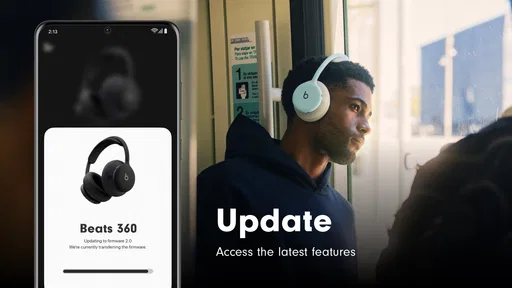
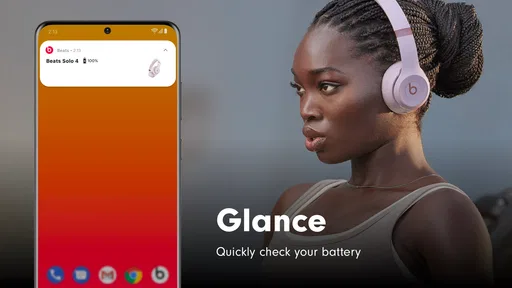
Beats is a music and audio app designed for listening to compatible content through Beats headphones, earbuds, and other supported devices. After installing it, you can connect your hardware, check battery levels, adjust available sound settings, access device controls, and receive firmware updates. The exact features depend on your Beats model and the operating system installed on your phone.
Which Beats headphones and devices are compatible with the app?
Compatibility varies depending on the specific Beats product and your smartphone. The app generally supports newer Beats headphones and earbuds, while some older models may offer limited controls or may not appear at all. Before downloading, check the app-store listing and Beats’ official compatibility information. You should also make sure your Android or iPhone is running a supported version of its operating system.
Does Beats require an internet connection or an account?
An internet connection is usually needed during setup, firmware updates, and some account-related functions, but basic listening and many device controls can continue working without constant internet access. Depending on the platform and feature, you may be asked to sign in with an Apple Account or another supported account. Permissions such as Bluetooth access and notifications may also be required for full functionality.
Can I customize sound and controls with Beats?
The available customization options depend on the connected Beats model. Supported devices may let you change certain button actions, manage listening modes such as noise cancellation or transparency, view battery information, and configure automatic updates. However, the app is not a full professional equalizer for every product, so users looking for extensive audio tuning should confirm the specific controls offered by their headphones before downloading.
Is Beats free, and are there any privacy or battery concerns?
The Beats app is generally available to download without a separate purchase, although you must own compatible Beats hardware to benefit from most features. It uses Bluetooth and may request permissions for device discovery, notifications, and related services. Bluetooth monitoring can have a small effect on battery life, but normal usage is usually modest. Review the permissions during installation and disable optional notifications if preferred.


